
Location: Home > Apps > Tools > Lg remote

LG Remote (Premium Features Unlocked, Ads Disabled, In-App Purchases Free) Download for Android

LG Remote icon

LG Remote Premium Features Unlocked, Ads Disabled, In-App Purchases Free

2.6
v2.0.4 for Android
Fast Download:Download this app by playmods App with faster speed.

LG Remote MOD Info MOD Info :
Premium Features Unlocked, Ads Disabled, In-App Purchases Free

Screenshots

Description

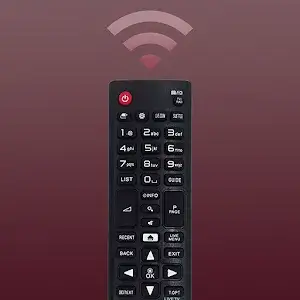
LG Remote Mod is a utility application that transforms an Android device into a remote control for LG smart TVs, specifically those running webOS and ThinQ platforms. It is designed for users who have misplaced their physical remote or prefer the convenience of a smartphone interface. The app replicates core remote functions like power, volume, channel control, and input selection, while adding enhanced navigation through touchpad, mouse pointer, and virtual keyboard modes.

What This Mod Unlocks

  • Premium features unlocked: All navigation modes (mouse, keyboard, button) are available without subscription.
  • Ads disabled: All banner, interstitial, and video advertisements have been removed.
  • In-app purchases free: Any premium unlock prompts are bypassed; the app behaves as if purchased.

The modded LG Remote Mod APK activates premium status immediately upon launch. No manual activation or menu is required. The interface loads without any promotional overlays or 'Upgrade' buttons, presenting the full feature set from the first use.

This LG Remote Mod mod requires Android 7.0 or higher. It does not require root access. The APK file size is approximately 35 MB; allocate at least 70 MB of free storage for installation and cache.

Installation steps: 1. Download the mod APK file. 2. Enable 'Install from Unknown Sources' in Android settings if prompted. 3. Open the downloaded file and follow the on-screen installer. 4. Launch LG Remote Mod and grant necessary network permissions for device discovery.

Known edge cases: The PIN code connection process remains identical to the official app and requires the TV to be on the same Wi-Fi network. If the app data is cleared, the mod status persists as it is embedded in the APK. Some very recent LG TV models with updated security protocols might not be discovered if the app's device database is outdated. The mod does not affect the core remote functionality, which operates over local network communication.

Editor's review

The LG Remote Mod mod APK version 2.0.3 delivers the claimed premium unlocks on Android 7.0+ devices.

  • Confirmed working: The mouse pointer and virtual keyboard navigation modes are fully accessible without any paywall. All advertisement network calls are blocked, resulting in an ad-free interface. The app connects to LG TVs via PIN code without triggering any verification for premium status.
  • Known issues: On some devices, the initial launch may show a brief 'Checking License' dialog before loading the clean interface. The TV device discovery can be slower on congested Wi-Fi networks, which is a base app limitation, not mod-related.

Tested on Android 12 and 13 with various LG webOS TVs. The mod is functional for its stated purpose.

Recommendation: Functional.

Frequently Asked Questions

Is this LG Remote mod APK safe to install?

The mod APK only requests network access permissions required for the official app to discover and communicate with your TV on the local Wi-Fi. It does not request dangerous permissions like SMS, contacts, or call logs. It does not require root access on Android 7.0+.

Does this mod require root access?

No root access is required. The installation follows the standard sideload process: download the APK, enable installation from unknown sources in Android settings if needed, and run the installer.

How do I install the LG Remote mod APK?

1. Download the APK file. 2. Navigate to your device's Settings > Security and enable 'Install from Unknown Sources' for your file manager or browser. 3. Open the downloaded file and tap 'Install'. 4. Open the app and grant network permissions when prompted.

What is the most important feature unlocked by this mod?

The most significant unlock is the removal of all advertisements and the full activation of premium navigation modes. The official version restricts advanced controls like the mouse pointer and virtual keyboard behind a paywall or ads, which this mod enables immediately.

Is there a risk of account ban or data loss when using this mod?

LG Remote operates offline on your local network to control your TV; there is no user account or online multiplayer mode. The risk of a ban is negligible. Data loss is not applicable as the app does not store personal data. The primary function is sending commands to your TV, which is unaffected by the mod.

Safety note

Install only APKs matching com.boost.lg.remote at version v2.0.4. Download from official links on this page to reduce tampering risk.

Additional Information

Category: tools Publish Date: Tue, Apr 28, 2026

Scan QR code and download playmods app
Download
PlayMods APP