


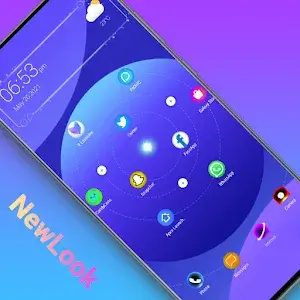


Newlook Launcher Mod is a home screen replacement application designed for Android users seeking extensive visual customization. It replaces the default system launcher with a layout inspired by star maps and galaxies, offering configurable icon grids, gesture controls, and a categorized app drawer. The target user is someone who prioritizes aesthetic personalization over stock launcher functionality.
What This Mod Unlocks
- All 200+ premium themes and dynamic effects are unlocked and available for immediate use.
- All in-app purchases related to icon packs and styles are marked as purchased.
- The advertisement modules within the launcher's settings and drawer have been disabled.
- Any feature gates or paywalls for advanced grid customization or gesture settings are removed.
To activate the modded features, set Newlook Launcher Mod as your default home app after installation. The premium themes section will show all items as owned without requiring any payment verification taps.
The mod requires Android 5.0 or higher. Estimated storage use is 40-50 MB after applying themes. Root access is not required.
Installation Steps
- Download the mod APK file.
- Enable installation from unknown sources in your device settings.
- Open the downloaded file and proceed with the standard installation prompts.
- After installation, press the home button and select Newlook Launcher Mod as your default launcher.
Known Edge Cases
- Changing the default launcher back to a system launcher and then returning to Newlook Launcher Mod may require re-selecting the premium theme.
- Some dynamic effects may exhibit increased battery drain on older devices, a behavior also present in the official version.
- If the app data is cleared, the mod will remain active, but user-applied theme selections will reset to default.
