


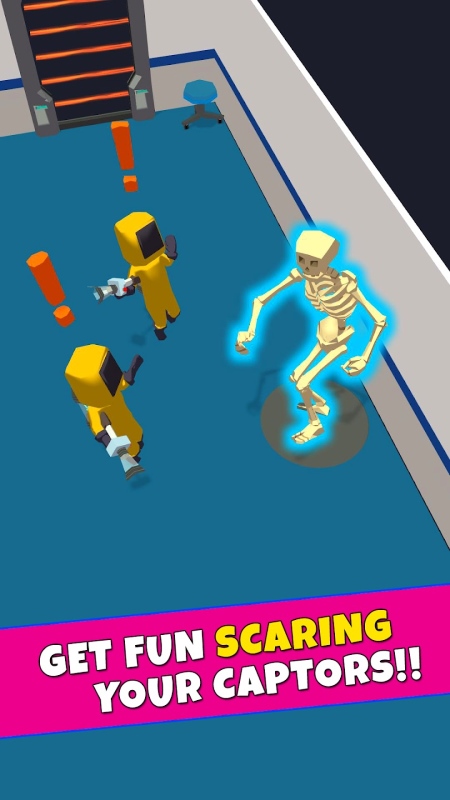


Spooky Buud Mod is a casual stealth-action game where the player controls a mischievous ghost navigating indoor environments to scare residents and evade capture by specialized hunters. The core loop involves possessing objects, creating distractions, and avoiding line-of-sight while managing a fear meter. The mod APK targets players who wish to bypass the game's progression systems for immediate access to cosmetic and utility items.
What This Mod Unlocks
- An in-game mod menu overlay is injected, accessible via an on-screen toggle.
- Coin currency is set to an infinite value and does not decrease on purchases.
- All character skins and cosmetic items are unlocked from the start.
- In-app purchase prompts are bypassed for all store content.
- Advertisements are disabled; no interstitial or video ads load.
The mod menu is the primary interface for the modifications. It appears as a semi-transparent button floating on the screen during gameplay.
Tap the floating button to open the mod panel. The panel contains toggles and status displays. The most important feature, unlimited coins, is enabled by default and requires no manual activation within the menu. Skin unlocks are also applied automatically upon launching Spooky Buud Mod.
The APK requires Android 7.0 or higher. It does not require root access. Installation will consume approximately 165 MB of storage space, matching the original app size.
Installation Steps
- Download the Spooky Buud Mod MOD APK file.
- Enable installation from unknown sources in Android settings.
- Open the downloaded file using a file manager to begin installation.
- Launch the game after installation completes.
Known Edge Cases
- The mod menu may fail to render on some devices with custom ROMs that restrict overlay permissions.
- Unlocked skins persist across sessions but will revert to default if the app's data is cleared.
- Using the infinite coin feature in online leaderboard events may trigger inconsistency flags, though Spooky Buud Mod is primarily a single-player experience.
- On Android 13+, the overlay permission must be manually granted via system settings for the mod menu to appear.
