
Location: Home > Apps > Tools > Wallpaper changer, auto change

Wallpaper Changer, Auto Change (Premium Library Unlocked, Ads Disabled, Premium Features Unlocked, Watermark Removed) Download for Android

Wallpaper Changer, Auto Change icon

Wallpaper Changer, Auto Change Premium Library Unlocked, Ads Disabled, Premium Features Unlocked, Watermark Removed

5.0
v1.2.01 for Android
Fast Download:Download this app by playmods App with faster speed.

Wallpaper Changer, Auto Change MOD Info MOD Info :
Premium Library Unlocked, Ads Disabled, Premium Features Unlocked, Watermark Removed

Screenshots

Description

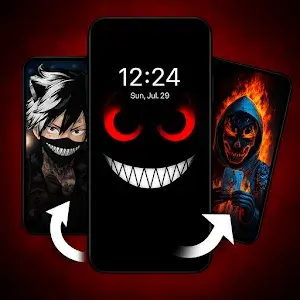
Wallpaper Changer, Auto Change Mod is a utility for Android that automatically cycles wallpaper images on the home and lock screens. It targets users who want a dynamic, hands-off wallpaper experience without manual selection. The app provides a curated library of wallpapers, categorized by theme, with automatic resolution scaling for device compatibility.

What This Mod Unlocks

  • Full premium wallpaper library access. All themes and collections, including daily updates, are unlocked.
  • All advertisements are disabled. No interstitial or banner ads appear during browsing or wallpaper application.
  • Premium features like customizable change frequency and advanced scheduling are enabled.
  • Watermarking or branding overlays present in the free version are removed.

The most significant mod feature, the unlocked premium library, is accessed immediately upon opening Wallpaper Changer, Auto Change Mod. All themes marked with a lock icon or requiring a subscription in the official version are available for selection without any additional steps.

This mod for Wallpaper Changer, Auto Change Mod requires Android 7.1 or higher. It does not require root access. The APK file size is approximately 58 MB, with additional storage needed for cached wallpaper images.

Installation Steps

  1. Download the mod APK file.
  2. Enable installation from unknown sources in Android settings if prompted.
  3. Open the downloaded file and follow the on-screen installer prompts.
  4. Launch Wallpaper Changer, Auto Change Mod after installation completes.

Known Edge Cases

  • If the app data is cleared, the mod's unlocked state persists, but user-configured schedules and favorites may reset.
  • On some devices with aggressive battery optimizations, the automatic change service may be paused. This requires manually adjusting the app's battery settings.
  • Using the mod online carries minimal risk for this app, as its core functionality is offline. However, accessing any potential cloud sync features could trigger detection.

Editor's review

This mod for Wallpaper Changer, Auto Change Mod version 1.2.01 delivers the claimed functionality on Android 7.1+ devices.

Confirmed working features include immediate access to the entire premium wallpaper catalog without subscription prompts. All interstitial and banner advertisements are successfully blocked. The automatic change scheduler and frequency settings operate without restriction.

Known issues are minor. On initial launch, there may be a brief loading period as the app verifies the unlocked state. If the device's storage permission is revoked and re-granted, the app may require a restart to properly access the local wallpaper cache.

Compatibility is confirmed for the stated Android version. The mod does not inject unstable code or cause excessive battery drain beyond the app's normal background service operation.

Functional.

Frequently Asked Questions

Is this Wallpaper Changer, Auto Change mod APK safe to install?

The mod APK does not request any dangerous permissions beyond what the official app requires for storage access to set wallpapers. It does not ask for SMS, call log, or contacts permissions.

Does this mod require root access?

No root access is required. The mod is installed via standard sideloading on Android 7.1 or higher by enabling installation from unknown sources.

How do I install the mod?

1. Download the APK file. 2. Enable 'Install from unknown sources' in Android settings if needed. 3. Open the downloaded file and tap install. 4. Launch Wallpaper Changer, Auto Change from your app drawer.

What does the 'Premium Library Unlocked' feature actually do?

It removes the subscription paywall. In the official version, many wallpaper themes are locked. The mod grants immediate, free access to all themes and collections within Wallpaper Changer, Auto Change.

Is there a risk of my account being banned or data loss?

Account bans are not applicable as the app primarily functions offline. The risk is minimal. Data loss is possible only if you clear the app's data, which would reset your personal settings and favorites but not the mod's unlocked state.

Safety note

Install only APKs matching com.wallpaperscraft.changer at version v1.2.01. Download from official links on this page to reduce tampering risk.

Additional Information

Category: tools Publish Date: Sun, Sep 14, 2025

Scan QR code and download playmods app
Download
PlayMods APP